Pactto

Designed async collaboration features for an intelligent video review platform.

AI
Start Up
Web App
UI/UX
Overview
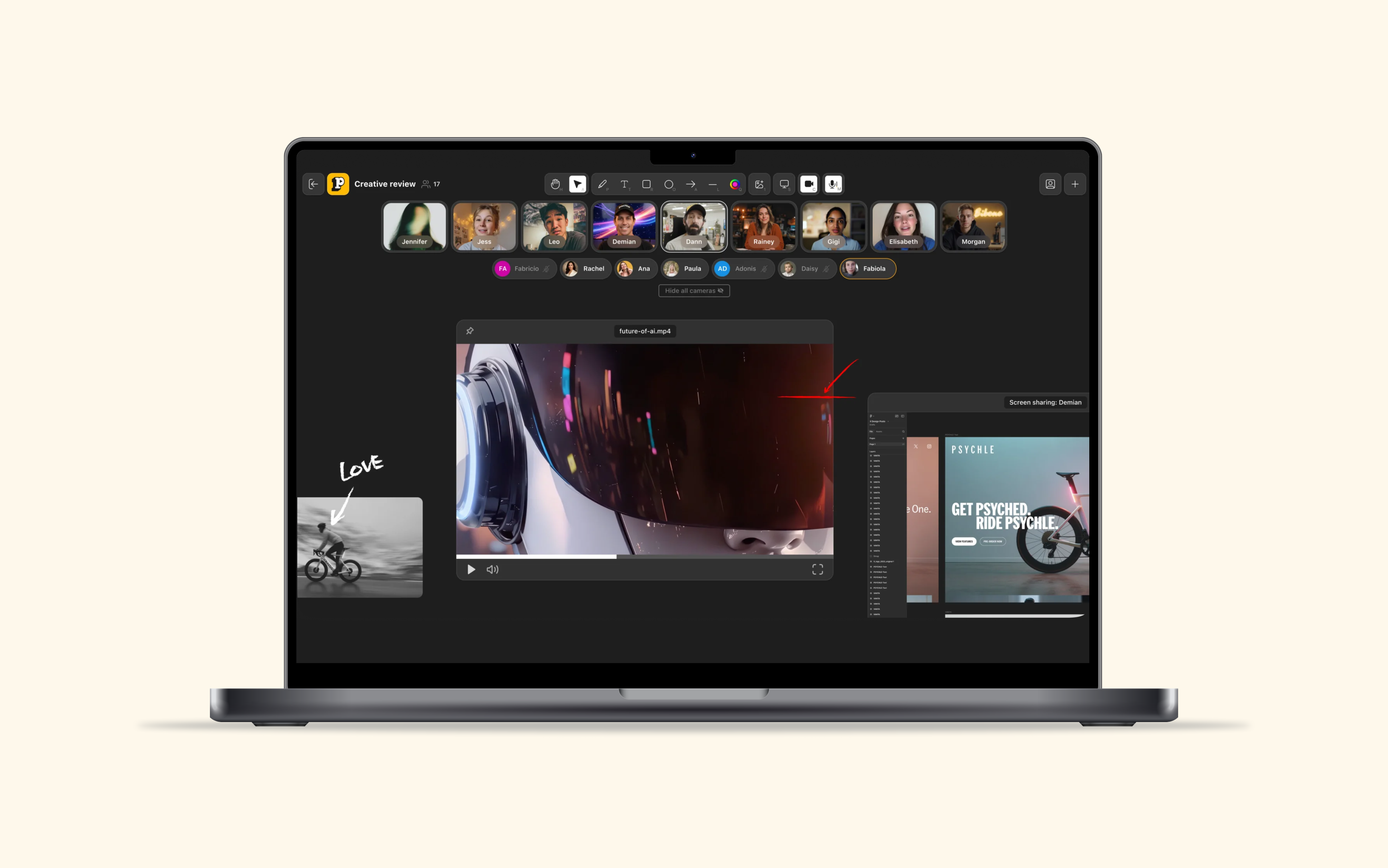
What is Pactto: Pactto is an early-stage startup building a canvas-based video review platform for creative teams. Designed Pactto's video review experience to consolidate fragmented workflows into one unified canvas.

What I contributed: I facilitated ideation generating 120+ ideas, became primary prototyping lead, and introduced AI Studio to compress cycles from weeks to days, delivering expressive commenting, AI chat, and voice input features founders now use for dev handoff and agency testing.
My Role
Product Designer
Team
Founders
4 Product Designers
1 Design Lead
Timeline & Status
3 Months, Currently in development

In a rush? Read these highlights.

⚖️
Challenges
Massive scope with only 7 weeks to prototype from scratch with zero design system.
Pain Points
  • 66.7% of video creators switch between 2-3 tools during collaboration
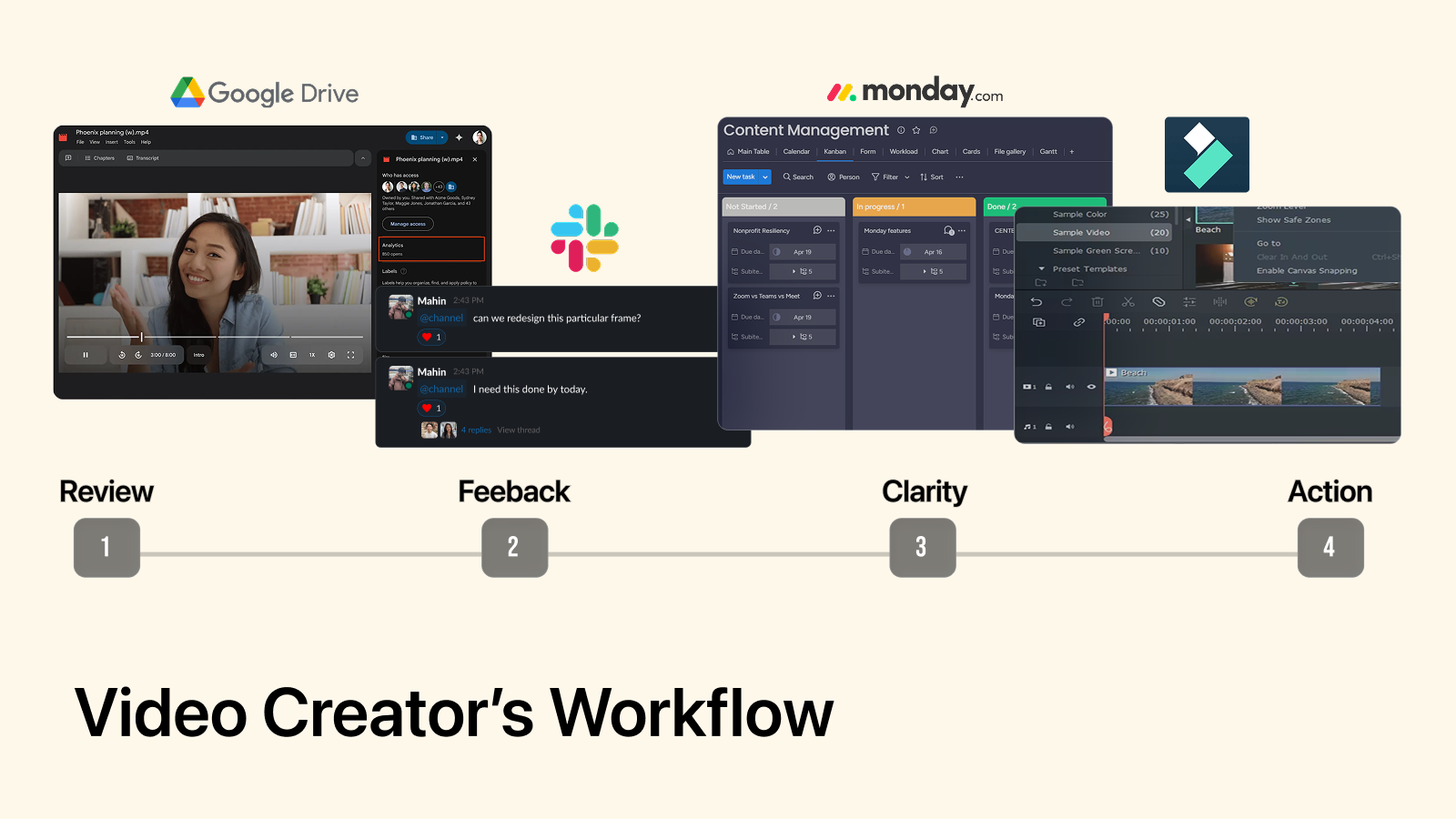
  • Feedback scattered across Slack/email lacks time-coded anchoring to specific moments
  • Administrative overhead steals time from creative work
Goals
  • Consolidate fragmented workflows with expressive commenting
  • Use AI to automate admin tasks, not creative work
  • Build commenting foundation before AI enhancement to reduce adoption risk
🔍
Research
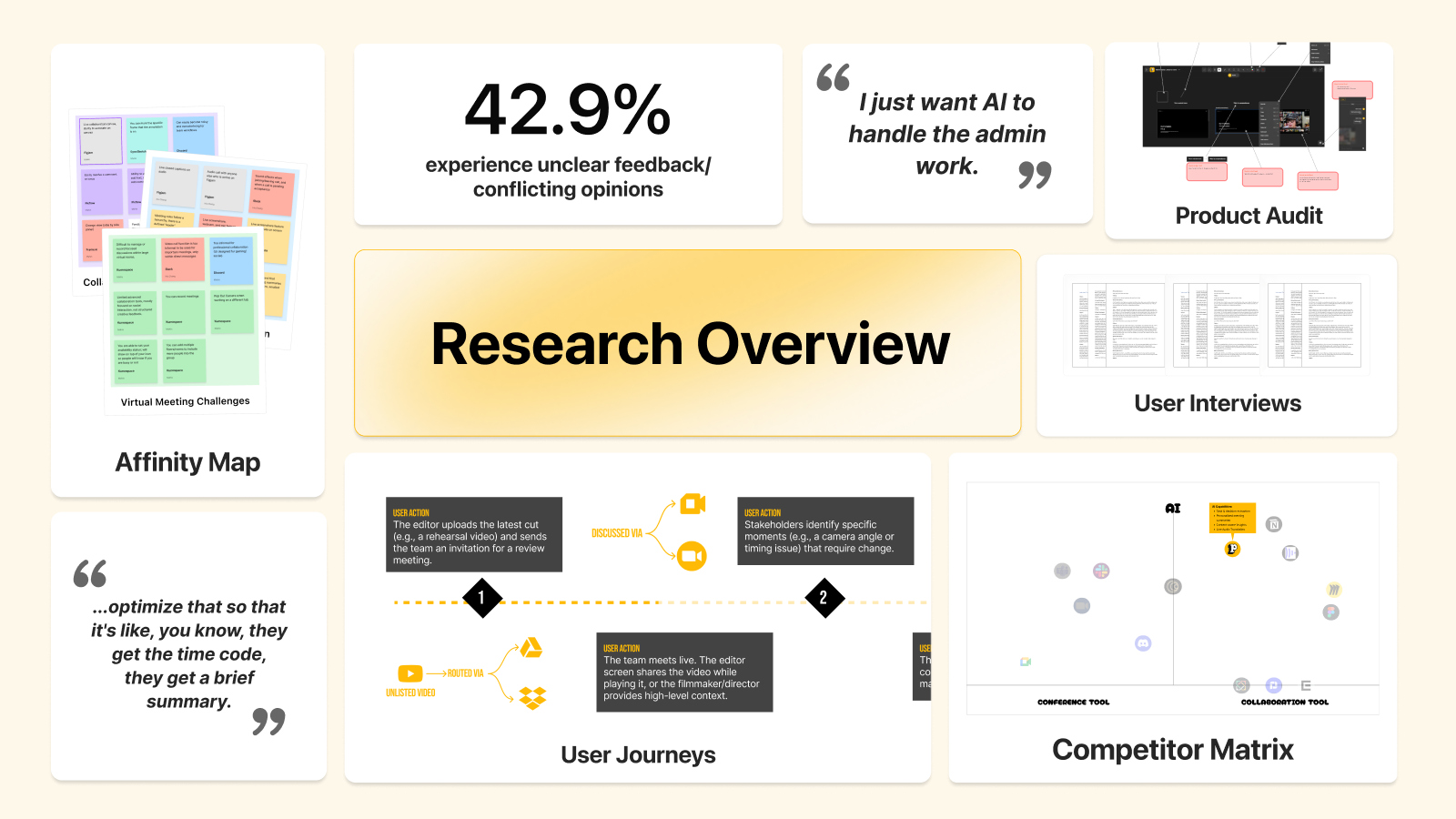
Conducted a multi-method research approach with 22+ participants, including user interviews, surveys, journey mapping, and competitive analysis.
🛠️
Design Process
Facilitated workshop generating 120+ ideas, resolved founder tension through two-layer sequencing (foundation first, AI enhancement second), chose Google AI Studio over Figma to compress cycles from weeks to days
📈
Results
Faster feedback location vs. Slack and improved trust in time-coded commenting patterns for collaborative workflows. Founders now use prototype to guide technical conversations with engineering team.

Highlights

  • Project goal:
  • Research process:
  • Design process:
  • User testing:
  • Impact:

One canvas replaced fragmented tools.

What is Pactto?

Pactto is an early-stage startup building a canvas-based video review platform for creative teams.

Fragmentation was stealing time from video creators.

What were the users experiencing?

Before we started designing solutions, we needed to understand the product space and where the biggest pain points existed. Creatives were caught in a cycle of tool-switching that fragmented their workflow.
  • 👨‍💻

    User Pain Points:

    • 66.7% of video creators switch between 2-3 tools during collaboration sessions
    • Feedback scattered across Slack, email, and Google Drive lacks time-coded precision
    • Administrative overhead — note-taking, organizing feedback, tracking versions — steals time from creative work

Why this mattered to the business?

For Pactto, this user pain translated directly into business risk.
  • 🏢

    Business Risks:

    1. 1. If users still need tools like Google Drive for commenting, Pactto becomes another tool in the stack
    2. 2. Agencies hesitate to adopt new platforms unless they eliminate workflow complexity
    3. 3. Tool switching extends project timelines and slows revision cycles, blocking product-market fit

Understanding video creators and where AI belongs.

Who are we designing for?

To understand where AI could meaningfully reduce this overhead while respecting the creative process, we conducted a multi-method research approach with 22+ participants, including user interviews, surveys, journey mapping, and competitive analysis.

Our target users are video creators working across production roles: directors, video editors, filmmakers, producers, and storyboard artists. Through our conversations, here is what they told us about where they wanted to focus their energy.
  • 🎥

    Video Creator #1:

    • "As soon as we start doing that kind of stuff [AI writing/visuals], we just get so stupid... I prefer to just sit down and write."
  • 🎥

    Video Creator #2:

    1. "I want AI generated notes that indicate this time code was clicked and then this is what was said. I just want AI to handle the admin work. "
What we learned is that creatives don't want AI generating their work, and instead want AI automating administrative overhead so they have more time for creative decisions.

From research to 120+ feature ideas.

Setting up the ideation workshop.

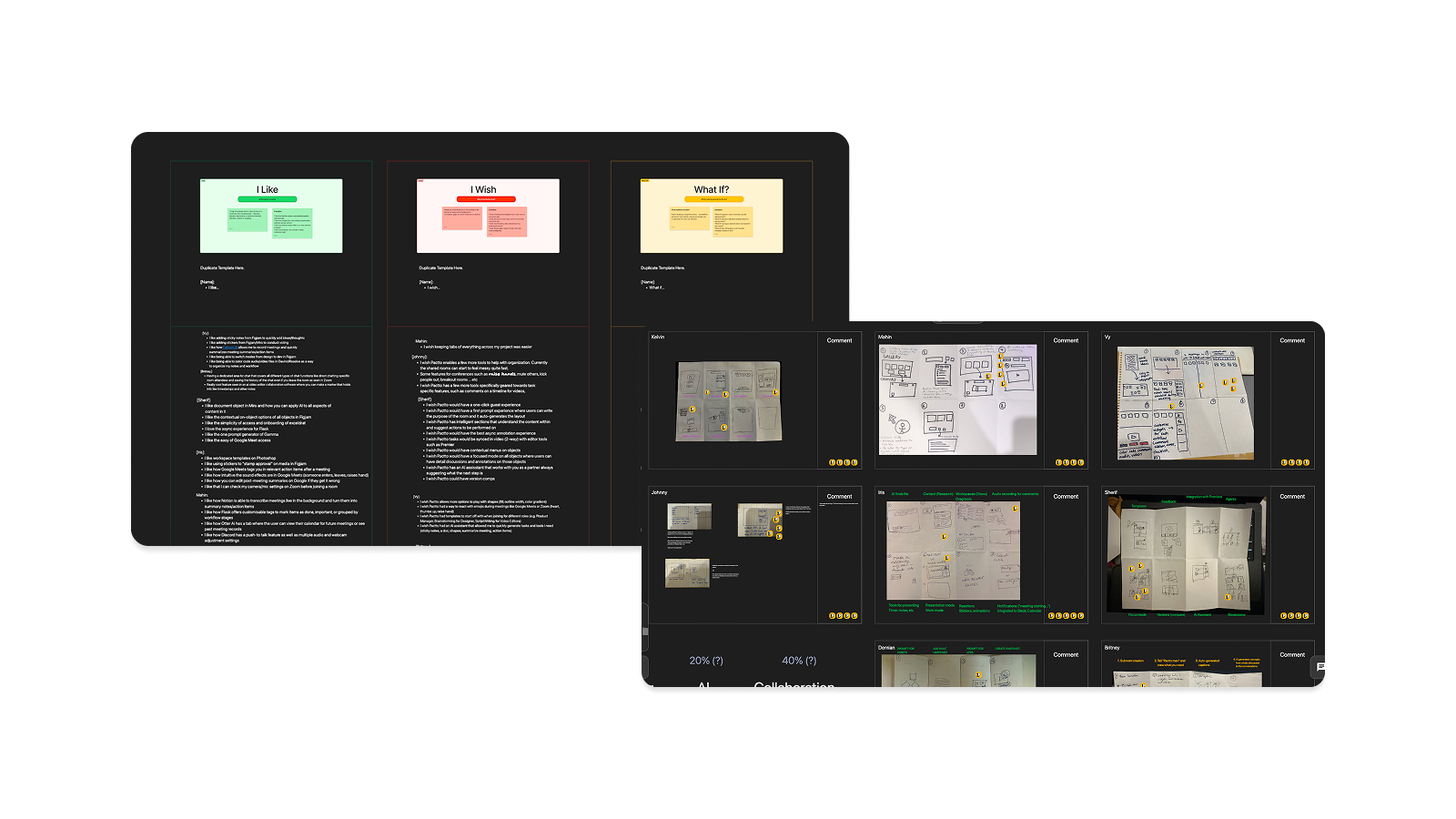
To translate research insights into concrete product directions, I facilitated a 3-4 hour workshop using "I Like / I Wish / What If" and Crazy 8s. We generated 120+ feature ideas across four key themes.
  • 🔑

    Key Themes:

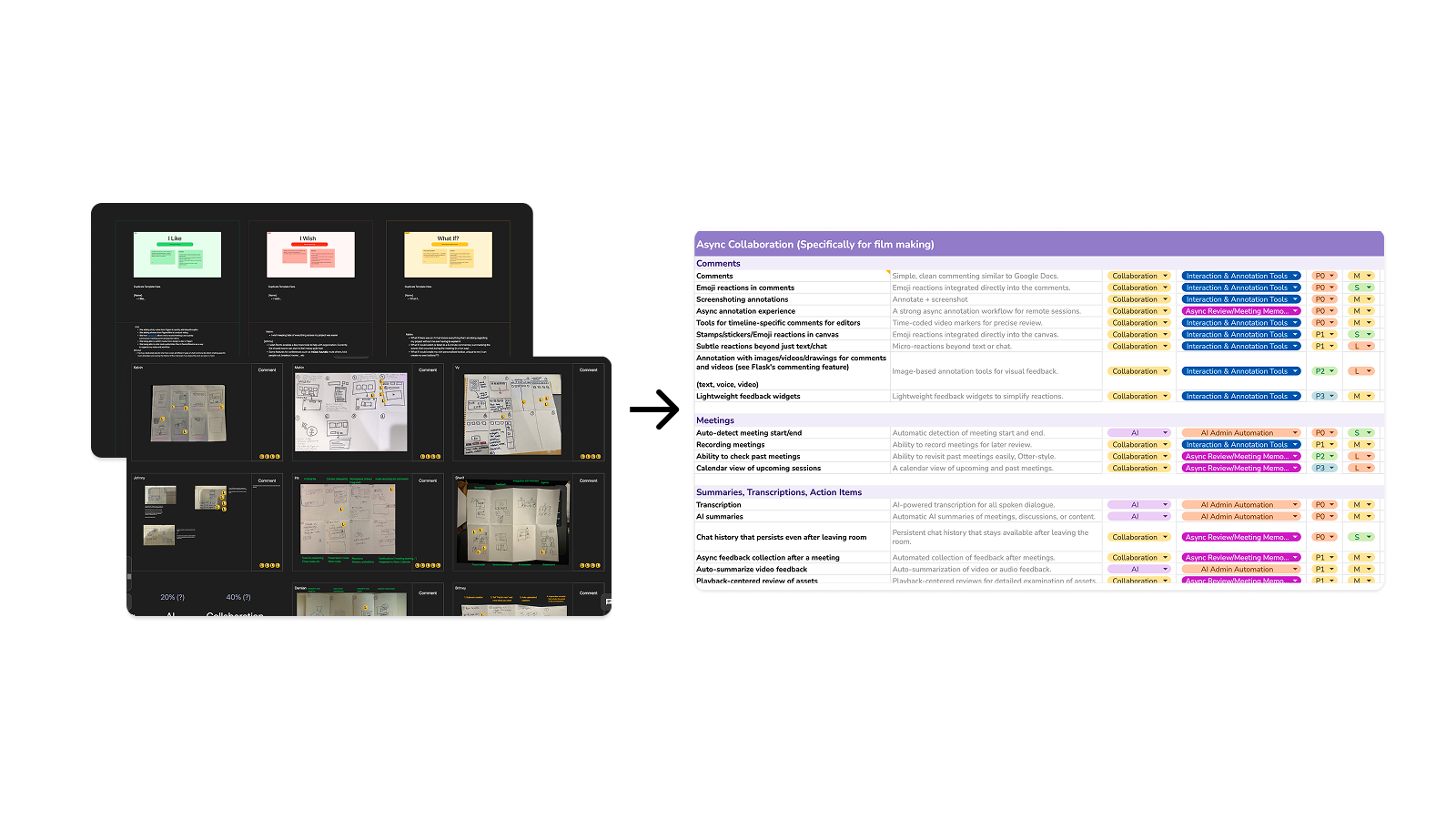
    • Async Collaboration (filmmaking/video-specific workflows)
    • Creation Toolkit (annotation and markup tools)
    • Workspace Organization (asset management, navigation)
    • Live Meeting Orchestration (real-time collaboration features)

Evaluating against constraints.

Within each key theme, we evaluated features across user needs (what video creators needed most), business priorities (what would drive adoption), and technical constraints (what we could feasibly build in 7 weeks). Using a "now, near, next" framework, we separated P0 features from future phases to ship a solid foundation without overwhelming users.

Build familiarity before novelty.

But how do we build when two founders want opposite things?

Two co-founders had competing visions: one wanted familiar UI patterns, the other wanted AI-forward features. Without resolving this tension, we risked building features that pleased neither.

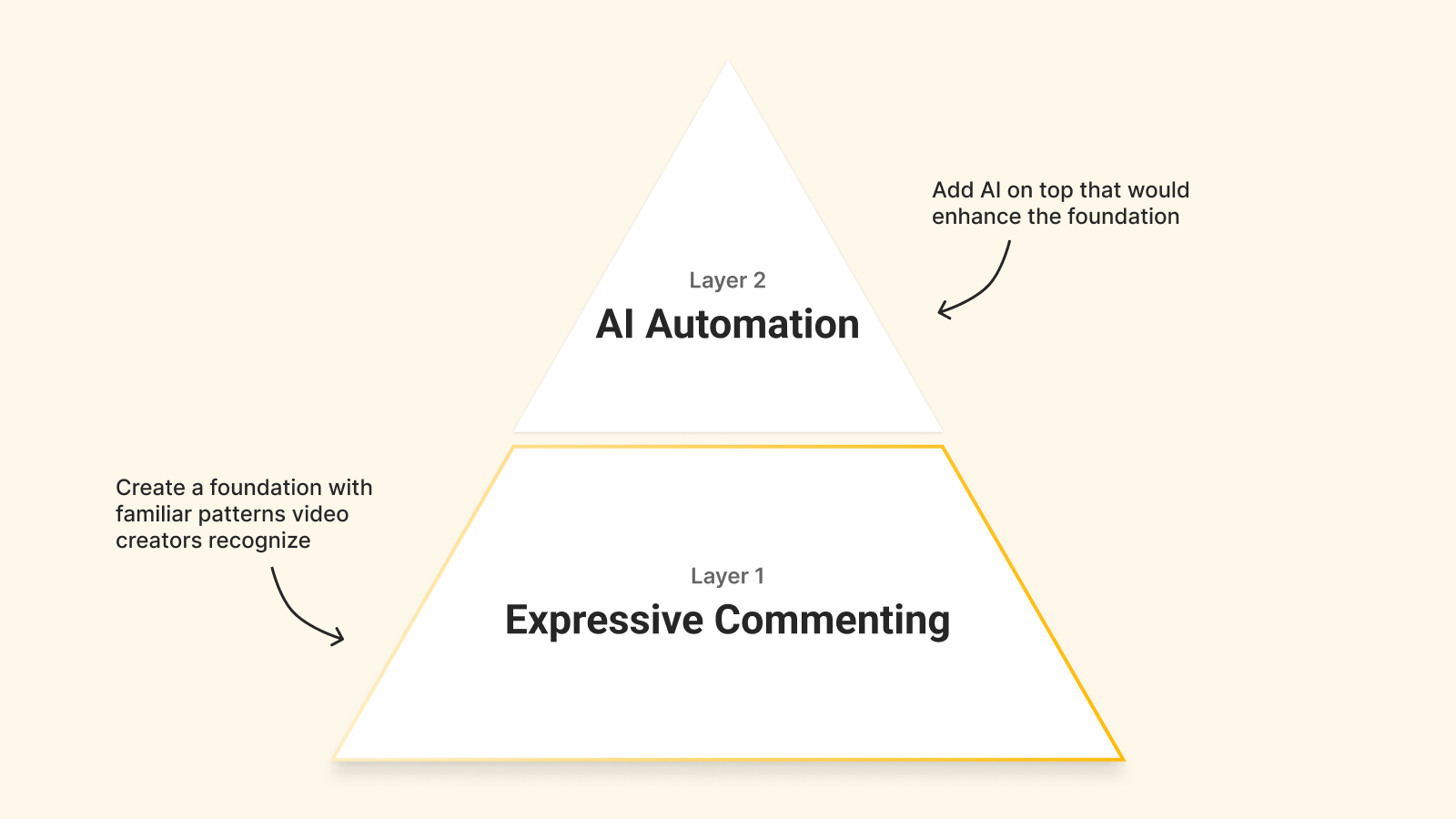
Our two-layer approach.

Video creators speak in timecodes. Comments not anchored to specific moments lose precision. This meant time-coded precision had to be foundational.
  • 🔨

    Two-layer Approach:

    • Layer 1: Expressive commenting foundation (familiar UI patterns video creators recognize)
    • Layer 2: AI automation on top (clear purpose, not bolted on)
This sequencing gave both founders a logical roadmap while respecting user mental models, so AI would enhance the foundation, not replace it.

Rapid prototyping with AI from zero design systems

Choosing Google AI Studio over Figma.

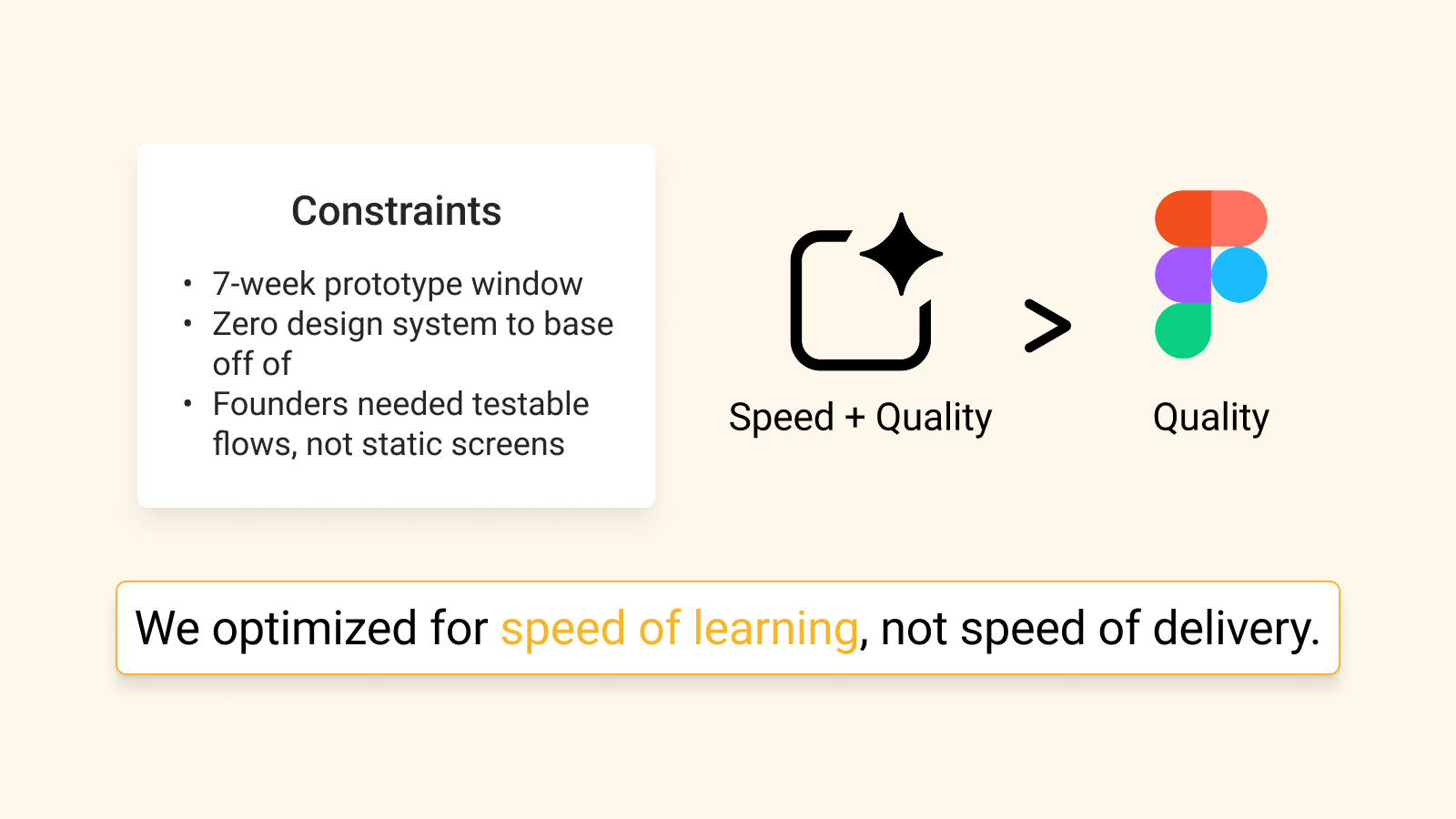
With our two-layer strategy defined, the next challenge was validating it within an aggressive timeline. With no design system or components, we have to design and prototype from scratch in 7 weeks, so speed became the priority.
  • 🔨

    Why AI Studio:

    • Founders needed working prototypes to validate logic, not pixel-perfect mockups.
    • AI Studio delivered interactions in 2-3 days vs. 2-3 weeks
    • Tradeoff: No visual control, unpredictable spacing/colors, features breaking between prompts
    • Gained: Real-time stakeholder feedback that compressed decision-making from weeks to days, optimizing our speed of learning

How do we handle non-deterministic AI?

AI Studio would forget context between sessions, hallucinate unnecessary design elements, and introduce interactions that didn't fit video creators' mental models (timeline/swim lane patterns).

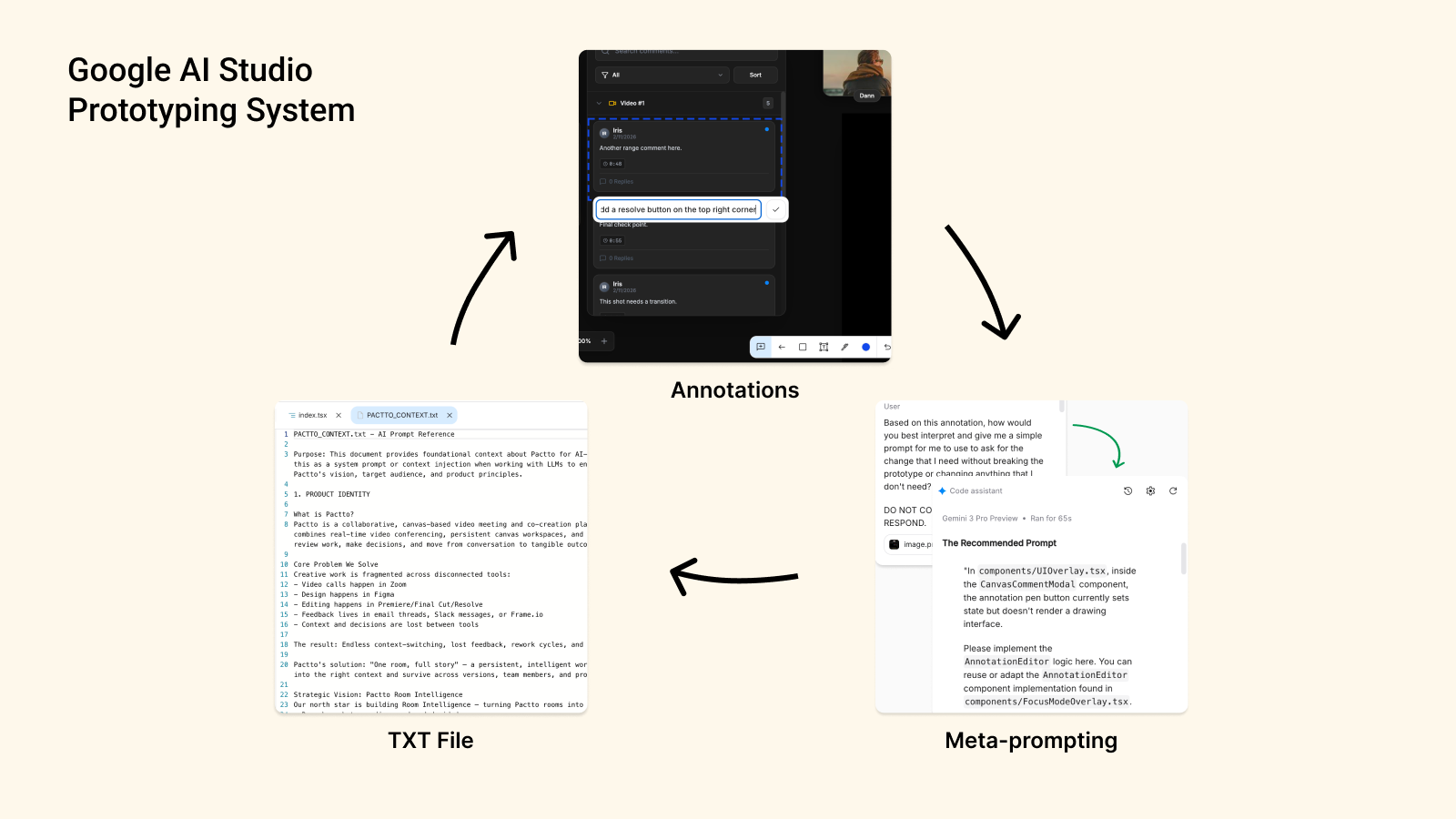
To work around it, I created a system that managed hallucinations and ensured generated patterns fit user needs.
  • The solutions I built:

    • TXT file as system memory — a structured doc with design patterns, interaction rules, user mental models in the codebase
    • Annotations for precision — labels telling the model which elements to edit and which to preserve
    • Meta-prompting for refinement — asked AI to suggest optimal prompts, then used those for better outputs

What did I learn?

Working with an AI tool in real conditions surfaced a few lessons I will carry into the future.
  • 💡

    Lessons:

    • Using AI Studio as a "vibe coding" tool taught me that tools are just tools, and the system you build around them matters more
    • Handling non-deterministic AI requires system design, grounding systems prevent chaos
    • Use rapid prototyping tools for validating interaction logic and stakeholder alignment, not as replacement for high-fidelity design work

Expressive commenting meets AI automation.

Expressive Commenting (3 modes).

Drop a feedback on any asset (pin comment), highlight specific areas (click-and-drag), or give a frame-specific/range feedback (timeline comment).

Solves: Feedback scattered across Slack and email now has time-coded precision in one place.
Pin comment
Click-and-drag comment
Timeline comment

AI voice input.

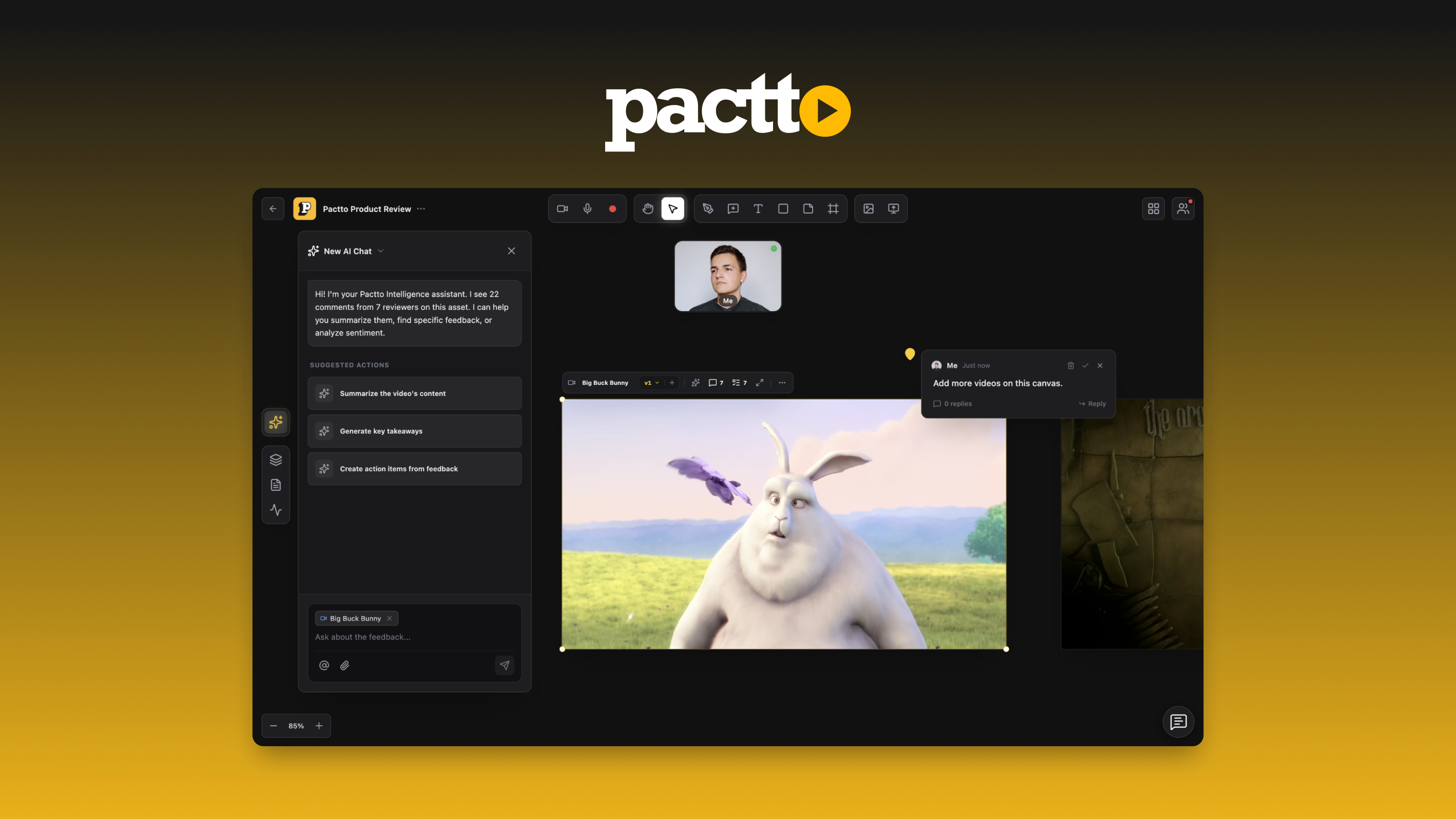
Speak out loud → AI automatically summarizes your thoughts and labels as either comment or task, mentions users, or adds due dates.

Solves: Administrative overhead of manually organizing feedback and creating tasks is eliminated.

Pactto Intelligence (AI Chat).

Query meeting notes or comments without hunting. If you are late to the meeting, ask "what happened?" and get instant summaries during live recording sessions.

Solves: Time wasted reconstructing context from scattered meeting notes across multiple tools.

Focus mode.

Video creators focus on one video or compare versions side-by-side.

Solves: Cognitive overload from juggling multiple videos and feedback streams.

Early validation and user confidence.

Agencies confidence.

Agencies reported timeline pins helped them locate feedback faster than their current Slack workflow, which required scrolling threads and manually copying timestamps. (Final quantitative feedback still being gathered.)

Stakeholder confidence.

Founders said the prototype was "very impressed by the robustness of the prototype" to hand off to their engineering team. It gave them a concrete solutions to start implementation. They're now using it to guide technical conversations with their development team, test with agencies, and inform what gets built next.

Looking ahead.

Conclusion.

Looking ahead, there are opportunities to strengthen both the design process and the product itself.
  • 📈

    Next steps:

    • Test with more video production teams to validate workflow improvements in real editing environments
    • Build explicit "failure state" UI like inline "Edit labels" button with dropdown to correct AI-generated task type, mentions, or due date
    • Explore AI tools that bridge design systems and AI prototyping to maintain visual standards while keeping iteration speed

View more Work

Nonprofit
Web App
Mentorship Platform
UI/UX

BobaTalks: Mentorship platform for college students

Designed a scheduling app to make mentorship more accessible for college students.
AI
Start Up
Web App
UI/UX

Pactto: AI video conference & collaboration platform

Designed async collaboration features for an intelligent video review platform.
Start Up
Fintech
Web App
UI/UX

Anhil: Commercial real estate underwriting platform

Designed an end-to-end flow for real estate underwriters to help replace Excel-heavy workflows with faster deal analysis.
E-commerce
Website
UI/UX

Rainbow: E-commerce platform for a family-run store

Redesigned a family-run store's outdated site into a plant-focused e-commerce experience.